

Call forwarding
Manage all your calls and texts with one number, keeping it simple for your clients
What is call forwarding?#
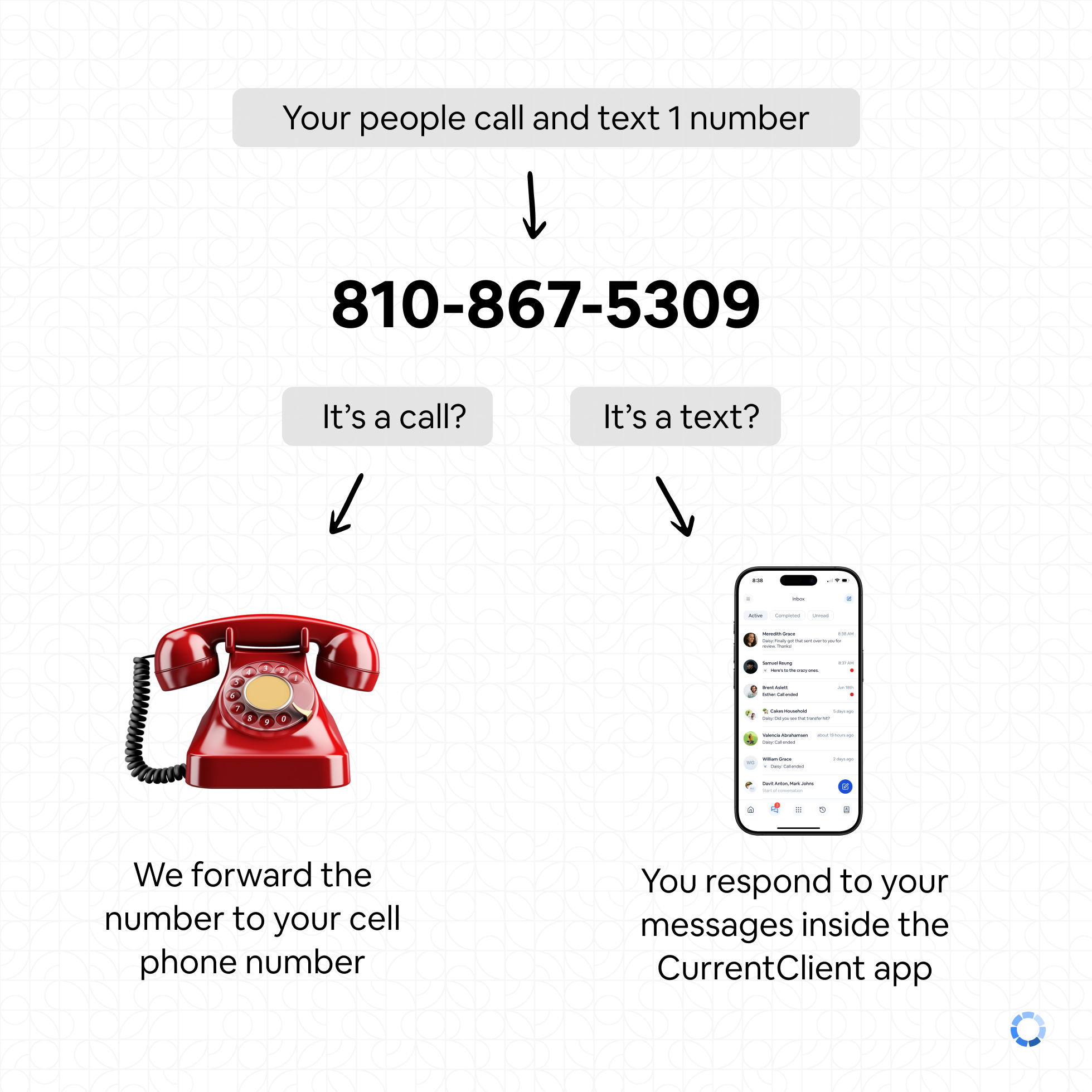
Call forwarding lets you have one phone number for both calling and texting, while still using your cell phone plan for actual calls. You'll use the CurrentClient app for all texting, while calls route through your personal phone.
What happens when calls come in?#
When someone calls your CurrentClient number, we automatically forward it to your cell phone. You answer like any regular call. If you don't answer, the call goes to your personal voicemail.
Since calls go to your personal voicemail when unanswered, make sure your voicemail greeting sounds professional!
How do I make outbound calls?#
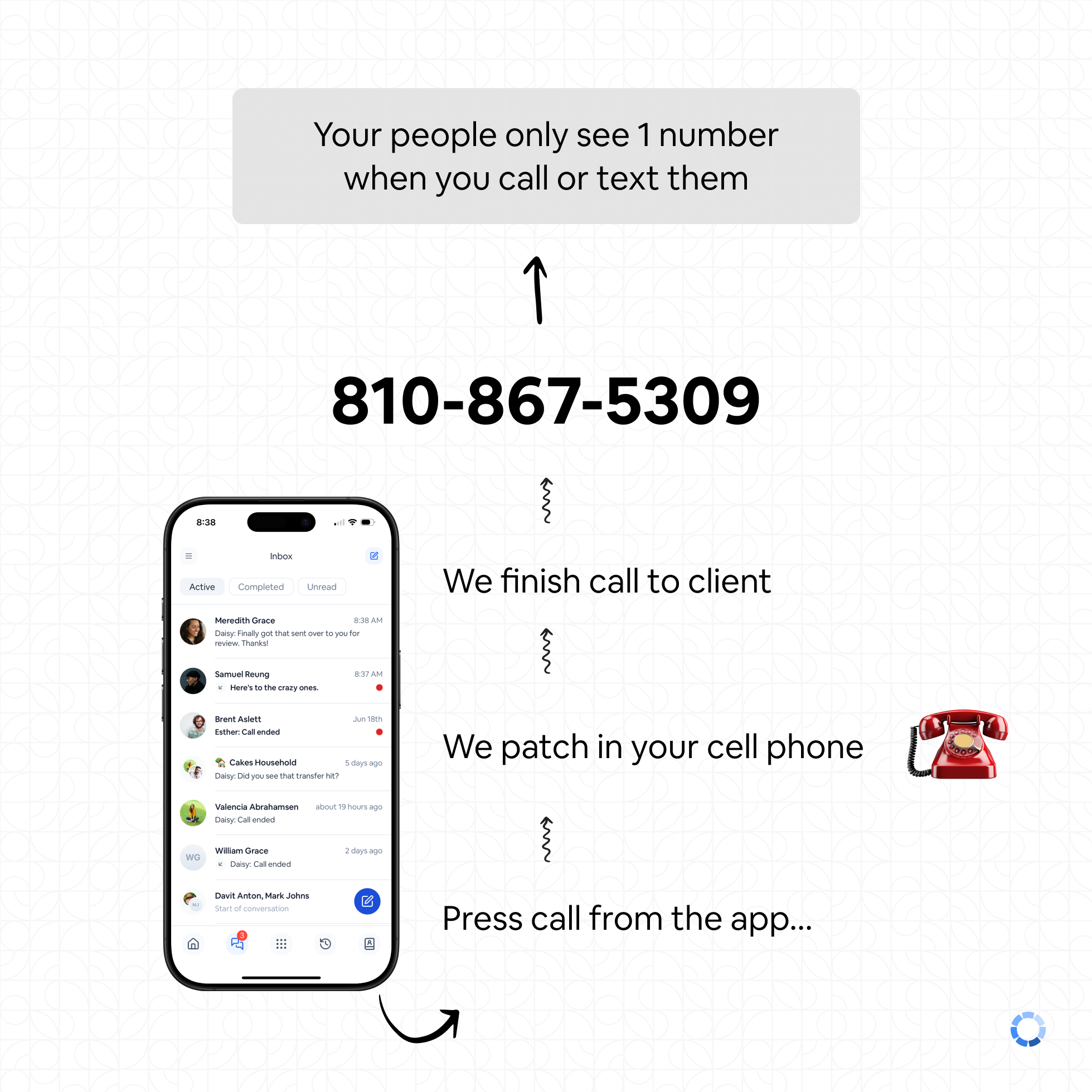
Its important you initiate the call from the CurrentClient app, otherwise it will not work.
Start the call in CurrentClient
Open the app and click call by typing a number or selecting a contact
CurrentClient calls your phone
We'll initiate a call to your cell phone first
Answer on your cell
You answer the incoming call to your cell phone. When you answer, you'll hear a message asking you to press 1
Connected to your client
We complete the call to your client - they see your CurrentClient business number, not your personal cell
How do I text with this setup?#
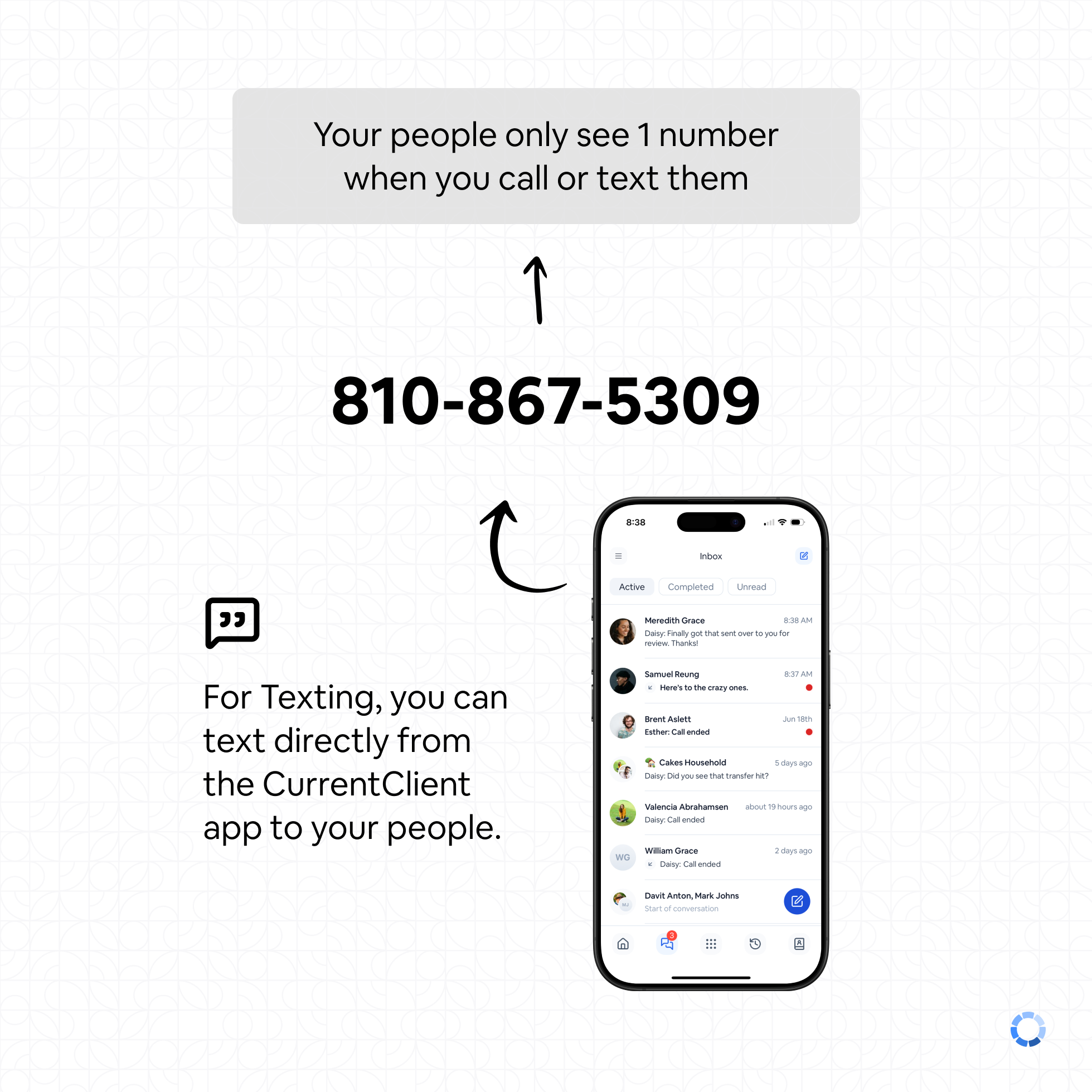
Texting is very simple, you just use the CurrentClient app like you normally would. Texting will be sent from your CurrentClient business number to your client.
How do I set this up?#
To set up call forwarding, you need to add your cell phone number as the forwarding number in the dial plan settings.
You can change this number whenever you need, but the key is to give us a number you want us to forward calls to.
- Go to your dial plan settings in the app
- Enter your cell phone number as the forwarding number
- Save your settings
Set up your forwarding number in your phone number settings