


Call pop for advisors: know who's calling before you say hello
Call pop surfaces the client's name and key details the moment the phone rings, so highlights show first instead of you scrambling through your CRM mid-call
The ten seconds you lose before hello#
The phone rings. Area code 385. You don't recognize the number, so you answer with a flat "This is Daisy," already opening your CRM in another tab, typing the number into search, watching the spinner.
By the time the record loads, the client has said "Hi, it's Valencia," and you've lost the first ten seconds of the call to admin. You're caught up now, but the client heard the pause.
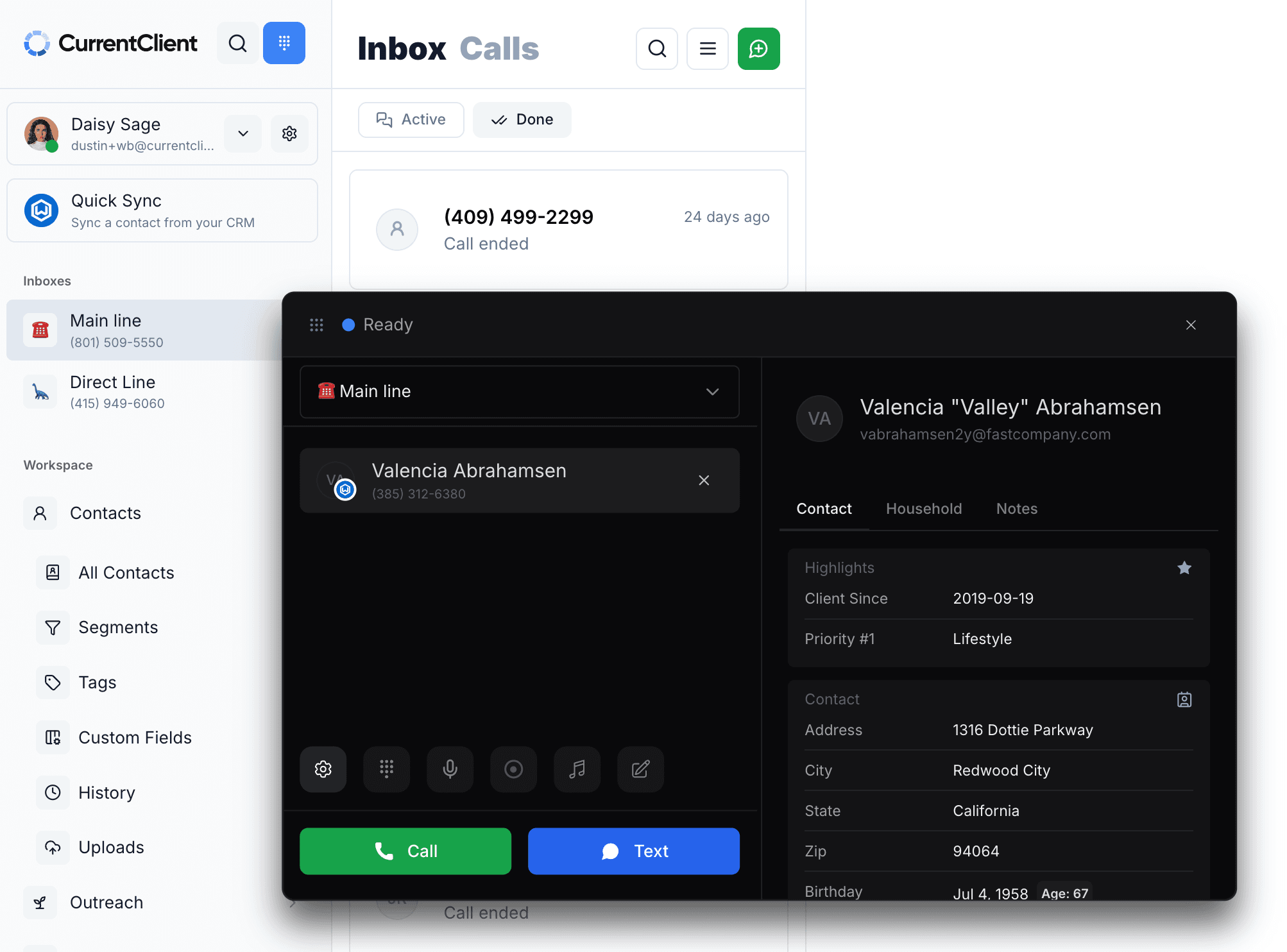
Call pop closes that gap. The moment the call comes in, the screen shows you who's calling and the few things you most need to know about them, before you pick up.
What call pop actually does#
Call pop matches the incoming number against your contacts and surfaces the record on screen as the phone rings. Name, not just digits. The relationship, not a cold start.
Most business phone tools have some version of this. The difference for an advisor isn't whether the name appears. It's what else appears, and in what order. A name alone tells you who's calling. It doesn't tell you how to handle the call. That's the part worth getting right.
Highlights first, not a data dump#
A client record holds a lot: address, household members, birthdays, account notes, every field your CRM has ever collected. Useful later. Useless in the two seconds before you answer.
So the card leads with Highlights: the handful of things that change how you take the call. In Valencia's case, client since 2019 and a top priority flagged as Lifestyle. That's enough to answer with context. You know she's a long-tenured client, you know what matters most to her, and you know it before the call connects.
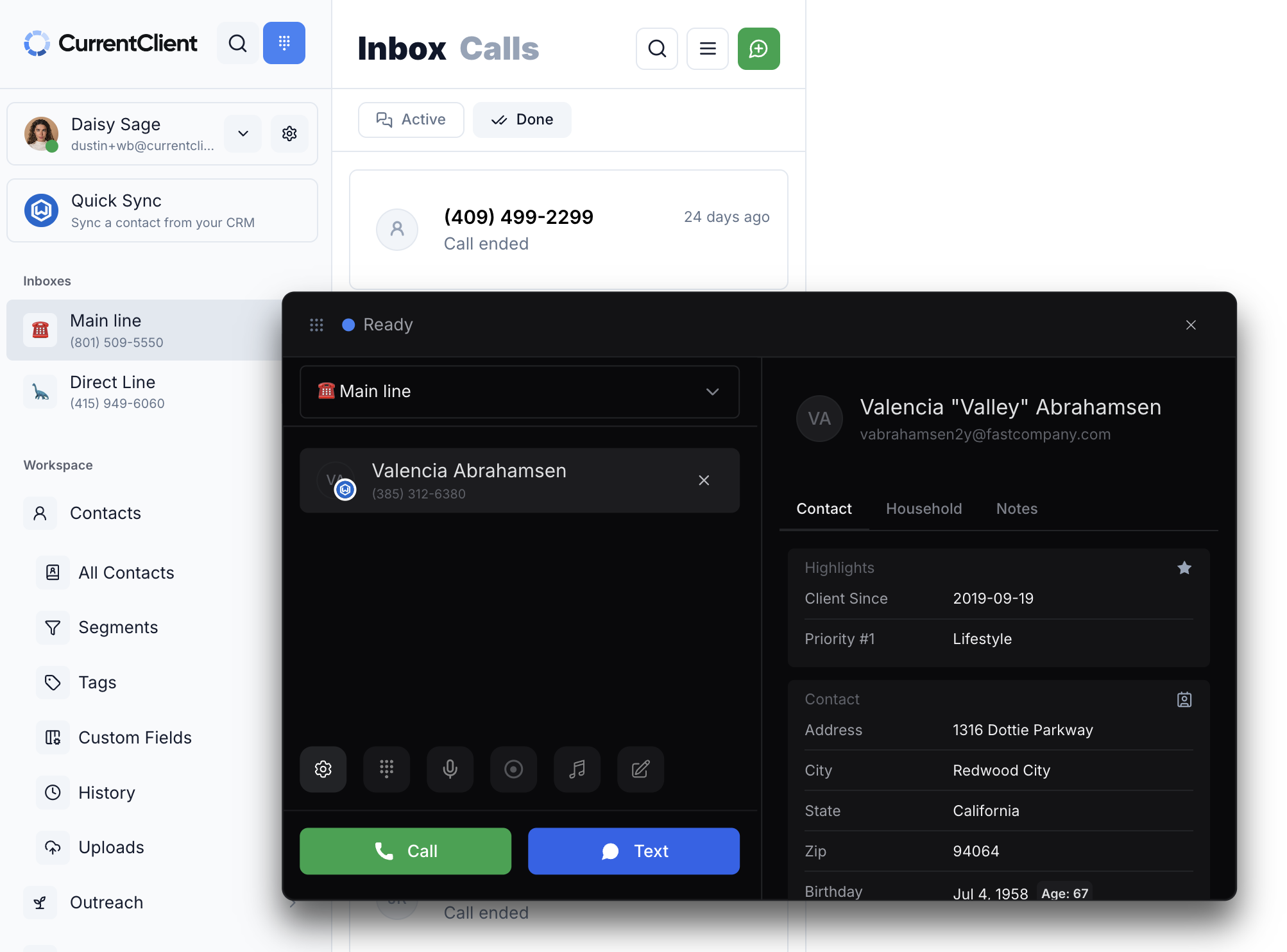
Everything else (full address, household tab, notes, birthday) is right there if you need it, one glance away. But it doesn't compete for your attention in the moment that counts. The most important thing shows first. The rest waits.
This ordering is the whole point. A wall of fields at call time is almost as useless as no fields at all, because you can't read it fast enough. Surfacing the two or three details that actually shape the conversation is what turns a ringing phone into a prepared one.
Why this matters more for advisors than for most businesses#
A support rep fielding a call needs a ticket number. An advisor fielding a call needs to remember that this client's spouse passed last spring, or that they're three weeks from a planned withdrawal, or that the last conversation ended on a tense note about fees.
You can't fake that recall across a few hundred relationships. You either have the context in front of you when the phone rings, or you wing it and hope the client doesn't notice you scrambling. The clients who feel known are the ones who stay. Call pop is a small mechanism that makes feeling known the default instead of a memory test.
There's a quieter benefit too. When the call comes in on a tool that shows you the client, you take the call on that tool, on a line your firm controls and can capture. The alternative is the call you take on your personal cell because answering there was faster than loading the record. Call pop removes that reason to reach for the personal phone, which means the conversation stays on the captured channel.
Where CurrentClient fits#
In CurrentClient, an inbound call brings up the contact card automatically, with Highlights at the top and the full record below. You pick which fields live in Highlights, so the thing your practice cares about most shows first, whether that's tenure, household, planning stage, or a priority flag.
The call runs on real telephony, and it's captured for your records as a byproduct of you simply taking the call the way you already do. Pair it with AI call summaries and the note writes itself afterward, too.