


AI call summaries
Automatically turn your recorded calls into short written summaries you can skim
Updated August 7, 2026
What are AI call summaries?#
AI call summaries read through a recorded call and write a short recap of what was said, so you don't have to listen back to the whole thing to remember it. After a call wraps up, you get a tidy paragraph covering the key points and any next steps, ready to skim or drop into your notes.
It works hand in hand with call recording. Once a call is recorded, we generate the summary for you automatically, so there's nothing extra to do in the moment.
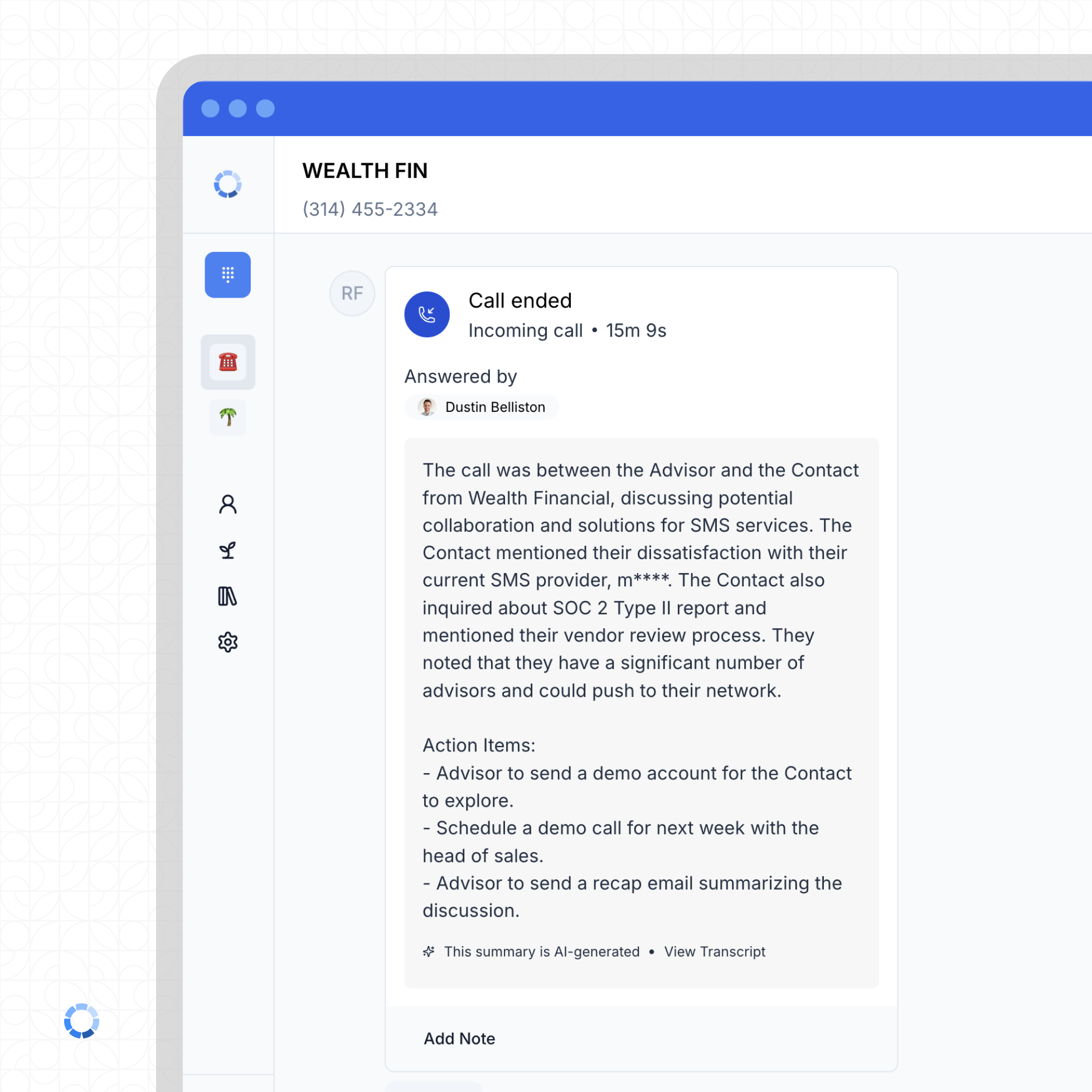
Here's what a summary looks like on a call once it's ready:
How do I turn it on?#
Here's a quick walkthrough of the whole setup:
There are two parts: add AI call summaries to your subscription, then switch them on for each inbox where you want them.
Add it to your subscription
AI call summaries are a paid add-on, so the first step is turning it on in your billing settings.
Add AI call summaries to your subscription
Turn it on for your inbox
Like most CurrentClient settings, this is configured per phone number, so switch it on for each inbox where you want summaries.
Enable AI call summaries for an inbox
Each phone number in CurrentClient is its own independent unit, so enabling summaries on one line doesn't turn them on for the rest. Flip the setting on for every inbox where you want it. See inbox settings for how per-line settings work.
When will I see a summary?#
Summaries are generated from the call recording, so a call has to be recorded for a summary to appear. If a line isn't recording calls, turn that on first in call recording, and make sure AI call summaries are enabled for that same inbox.
Recording and summaries are both per-line settings. If a call summary is missing, check that the inbox has both call recording and AI call summaries switched on.
How much does it cost?#
AI call summaries are part of the AI Transcription + Summaries add-on, which runs $20 per user each month. Each user on the add-on contributes 400 minutes, and those minutes are pooled across your whole organization rather than capped per person. So a team of five sharing one 2,000 minute pool can have a few heavy callers and a few light ones without anyone running out early. Once the pool is used up, additional minutes are billed at $0.10 per minute. You add it from your billing settings, and you can see the full breakdown on our pricing page.
The pooled minutes cover transcription and summaries together, since a summary is generated from the transcript of each recorded call.
Do you use my calls to train AI?#
No. We do not use the content of your call recordings, transcripts, or summaries to train or fine-tune AI models, and we require any provider that processes your data to be bound by the same restriction. Given the compliance stakes for financial advisors, this is a firm commitment, not a setting you have to find and switch on.
You can read the exact language in Section 10(b) of our terms of service.